Tag: java pattern program

  • Java String Pattern: 5

    Java String Pattern: 5

    In this tutorial, we will go through the string pattern program in java. Before that, you may go through the following topic in java.

    String Pattern:

    import java.util.Scanner;
    
    public class Main
    {
      public static void main(String args[])
      {
        int i, j;
        String str;
        char[] ch;
        Scanner sc = new Scanner(System.in);
    
        System.out.print("Enter the string: ");
        str = sc.nextLine();
    
        ch = str.toCharArray();
    
        for (i = ch.length - 1; i >= 0; i--)
        {
          for (j = 0; j <= i; j++)
            System.out.print(ch[j] + " ");
    
          System.out.println();
        }
      }
    }

    Enter the string: SIMPLE
    S I M P L E
    S I M P L
    S I M P
    S I M
    S I
    S


  • Java String Pattern: 4

    Java String Pattern: 4

    In this tutorial, we will go through the string pattern program in java. Before that, you may go through the following topic in java.

    String Pattern:

    import java.util.Scanner;
    
    public class Main
    {
      public static void main(String args[])
      {
        int i, j;
        String str;
        char[] ch;
        Scanner sc = new Scanner(System.in);
    
        System.out.print("Enter the string: ");
        str = sc.nextLine();
    
        ch = str.toCharArray();
    
        for (i = 0; i < ch.length; i++)
        {
          for (j = 0; j <= i; j++)
            System.out.print(ch[j] + " ");
    
          System.out.println();
        }
      }
    }

    Output:

    Enter the string: SIMPLE
    S
    S I
    S I M
    S I M P
    S I M P L
    S I M P L E


  • Java String Pattern: 3

    Java String Pattern: 3

    In this tutorial, we will go through the string pattern program in java. Before that, you may go through the following topic in java.

    String Pattern:

    public class Main
    {
      public static void main(String args[])
      {
        String str = "SIMPLE";
        int i, j, k;
        int length = str.length();
    
        for (i = 0; i < length; i++)
        {
          for (j = length - 1; j > i; j--)
          {
            System.out.print("  ");
          }
    
          for (k = 0; k <= i; k++)
          {
            System.out.print(str.charAt(k) + " ");
          }
    
          System.out.println();
        }
      }
    }

    Output:

              S
            S I
          S I M
        S I M P
      S I M P L
    S I M P L E

  • Java String Pattern: 2

    Java String Pattern: 2

    In this tutorial, we will go through the string pattern program in java. Before that, you may go through the following topic in java.

    String Pattern:

    import java.util.Scanner;
    
    public class Main
    {
      public static void main(String args[])
      {
        String str;
        int i, j;
        char[] ch;
        Scanner sc = new Scanner(System.in);
    
        System.out.print("Enter a Word: ");
        str = sc.nextLine();
    
        ch = str.toCharArray();
        int strLength = ch.length;
    
        for (i = 0; i < strLength; i++)
        {
          for (j = 1; j <= strLength; j++)
          {
            System.out.print(str.charAt(strLength - j) + " ");
          }
    
          System.out.println();
        }
      }
    }

    Output:

    Enter a Word: SIMPLE
    E L P M I S
    E L P M I S
    E L P M I S
    E L P M I S
    E L P M I S
    E L P M I S


  • Java String Pattern: 1

    Java String Pattern: 1

    In this tutorial, we will go through the string pattern program in java. Before that, you may go through the following topic in java.

    String Pattern:

    public class Main
    {
      public static void main(String args[])
      {
        String str = "SIMPLE";
        int length = str.length();	//length of the string
    
        for (int i = 0; i < length; i++)
        {
          for (int j = 0; j < length; j++)
          {
            System.out.print(str.charAt(j) + " ");
          }
    
          System.out.println();
        }
      }
    }

    Output:

    S I M P L E
    S I M P L E
    S I M P L E
    S I M P L E
    S I M P L E
    S I M P L E


  • Half Repeated Character Pattern in Java

    Half Repeated Character Pattern in Java

    In this tutorial, we will go through alphabet pattern programs in java programming. Before that, you may go through the following topic in java.


    Half Repeated Character Pattern in Java

    import java.util.Scanner;
    
    public class Main
    {
      public static void main(String args[])
      {
        int rows, i, j, k;
        Scanner sc = new Scanner(System.in);
    
        System.out.print("Enter the no. of rows: ");
        rows = sc.nextInt();
    
        for (i = 0; i <= rows; i++)
        {
          int alphabet = 65;
          for (j = 0; j < i; j++)
            System.out.print(" ");
    
          for (k = i; k <= rows; k++)
            System.out.print((char)(alphabet + k));
    
          System.out.println();
        }
        for (i = rows; i >= 0; i--)
        {
          int alphabet = 65;
          for (j = 0; j < i; j++)
            System.out.print(" ");
    
          for (k = i; k <= rows; k++)
            System.out.print((char)(alphabet + k));
    
          System.out.println();
        }
      }
    }

    Output:

    Enter the no. of rows: 5
    ABCDEF
     BCDEF
      CDEF
       DEF
        EF
         F
         F
        EF
       DEF
      CDEF
     BCDEF
    ABCDEF

  • 2 Different Alphabet Patterns in Java (half hourglass)

    2 Different Alphabet Patterns in Java (half hourglass)

    In this tutorial, we will go through two different alphabet pattern programs in java programming. Before that, you may go through the following topic in java.


    2 different Alphabet pattern program in Java

    Both of the programs below take the number of rows as the user input and using for loop it prints the desired output.

    Pattern 1:

    import java.util.Scanner;
    
    public class Main
    {
      public static void main(String args[])
      {
        int rows, i, j;
        Scanner sc = new Scanner(System.in);
    
        System.out.print("Enter the no. of rows: ");
        rows = sc.nextInt();
    
        //upper part
        for (i = rows; i >= 0; i--)
        {
          int character = 65;
          for (j = 0; j <= i; j++)
            System.out.print((char)(character + j) + " ");
    
          System.out.println();
        }
        //lower part
        for (i = 0; i <= rows; i++)
        {
          int character = 65;
          for (j = 0; j <= i; j++)
            System.out.print((char)(character + j) + " ");
    
          System.out.println();
        }
      }
    }

    Output:

    Enter the no. of rows: 5
    A B C D E F
    A B C D E
    A B C D
    A B C
    A B
    A
    A
    A B
    A B C
    A B C D
    A B C D E
    A B C D E F


    Pattern 2:

    import java.util.Scanner;
    
    public class Main
    {
      public static void main(String args[])
      {
        int rows, i, j;
        Scanner sc = new Scanner(System.in);
    
        System.out.print("Enter the no. of rows: ");
        rows = sc.nextInt();
    
        //upper part
        for (i = rows; i >= 0; i--)
        {
          int character = 65;
          for (j = i; j >= 0; j--)
            System.out.print((char)(character + j) + " ");
    
          System.out.println();
        }
        //lower part
        for (i = 0; i <= rows; i++)
        {
          int character = 65;
          for (j = i; j >= 0; j--)
            System.out.print((char)(character + j) + " ");
    
          System.out.println();
        }
      }
    }

    Output:

    Enter the no. of rows: 5
    F E D C B A
    E D C B A
    D C B A
    C B A
    B A
    A
    A
    B A
    C B A
    D C B A
    E D C B A
    F E D C B A


  • Half Hourglass Star Pattern in Java

    Half Hourglass Star Pattern in Java

    In this tutorial, we will write a java program to print half sandglass star patterns. Before that, you may go through the following topic in java.

    The program below takes a user input for the number of rows needed and then in decreasing order of the first half is printed and then the increasing order of the second half of the half part of sandglass is printed.

    This is a half hourglass pattern program in java or you can say half sandglass pattern program using a star.


    Half Hourglass Star Pattern in Java

    import java.util.Scanner;
    
    public class Main
    {
      public static void main(String[] args)
      {
        int rows, i, j, k;
        Scanner sc = new Scanner(System.in);
    
        System.out.print("Enter the number of rows: ");
        rows = sc.nextInt();
    
        System.out.print("Output: \n\n");
        //upper half
        for (i = 1; i <= rows; i++)
        {
          for (k = 1; k < i; k++)
            System.out.print(" ");
    
          for (j = i; j <= rows; j++)
            System.out.print("*");
    
          System.out.println();
        }
    
        //lower half
        for (i = rows - 1; i >= 1; i--)
        {
          for (k = 1; k < i; k++)
            System.out.print(" ");
    
          for (j = i; j <= rows; j++)
            System.out.print("*");
    
          System.out.println();
        }
      }
    }

    Output:

    java half hourglass pattern

  • Hollow Inverted Right Triangle Star Pattern in Java

    Hollow Inverted Right Triangle Star Pattern in Java

    In this tutorial, we will write a java program to print hollow inverted right triangle star pattern. Before that, you may go through the following topic in java.

    We will display the hollow inverted right triangle pattern of stars in java using different loops. We will use for loop and while and write two different codes.

    The programs however take the number of rows as an input from the user and print the hollow pattern. There is a use of if..else statement in the program to check the boolean condition. It is placed inside the for loop and while loop.


    Hollow Inverted Right Triangle Star Pattern in Java

    Using For Loop

    import java.util.Scanner;
    
    public class Main
    {
      public static void main(String args[])
      {
        int rows, i, j, k;
        Scanner sc = new Scanner(System.in);
    
        System.out.print("Enter the no. of rows: ");
        rows = sc.nextInt();
    
        for (i = rows; i > 0; i--)
        {
          if (i == 1 || i == rows)
          {
            for (j = 1; j <= i; j++)
              System.out.print("*");
          }
          else
          {
            for (k = 1; k <= i; k++)
            {
              if (k == 1 || k == i)
                System.out.print("*");
              else
                System.out.print(" ");
            }
          }
          System.out.println();
        }
      }
    }

    Output:

    Hollow Inverted Right Triangle Star Pattern in Java

    Using While Loop

    import java.util.Scanner;
    
    public class Main
    {
      public static void main(String args[])
      {
        int rows, i, j;
        Scanner sc = new Scanner(System.in);
    
        System.out.print("Enter the no. of rows: ");
        rows = sc.nextInt();
        i = rows;
    
        while (i > 0)
        {
          j = 1;
          while (j <= i)
          {
            if (j == 1 || j == i || i == 1 || i == rows)
              System.out.print("*");
            else
              System.out.print(" ");
            j++;
          }
          System.out.println();
          i--;
        }
      }
    }

    Output:

    Hollow Inverted Right Triangle Star Pattern in Java

  • Square Number Pattern in Java: 1

    Square Number Pattern in Java: 1

    In this tutorial, we will go through the square number pattern program in java. Before that, you may go through the following topic in java.


    Number Square Pattern Programs in Java

    The programs below take the user input for the number of rows to be displayed in the pattern. We have used a for loop to iterate.

    Pattern 1:

    import java.util.Scanner;
    
    public class Main
    {
      public static void main(String args[])
      {
        int rows, i, j;
        Scanner sc = new Scanner(System.in);
    
        System.out.print("Enter the no. of rows: ");
        rows = sc.nextInt();
    
        for (i = 1; i <= rows; i++)
        {
          for (j = 1; j < i; j++)
            System.out.print("0 ");
    
          System.out.print(i + " ");
    
          for (j = i; j < rows; j++)
            System.out.print("0 ");
    
          System.out.println();
        }
      }
    }

    Output:

    Enter the no. of rows: 5
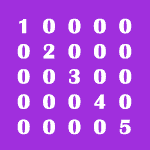
    1 0 0 0 0
    0 2 0 0 0
    0 0 3 0 0
    0 0 0 4 0
    0 0 0 0 5